Import your seed phrase wallet or private key wallet into the extension in advance.
2. Connect the Binance Wallet Extension
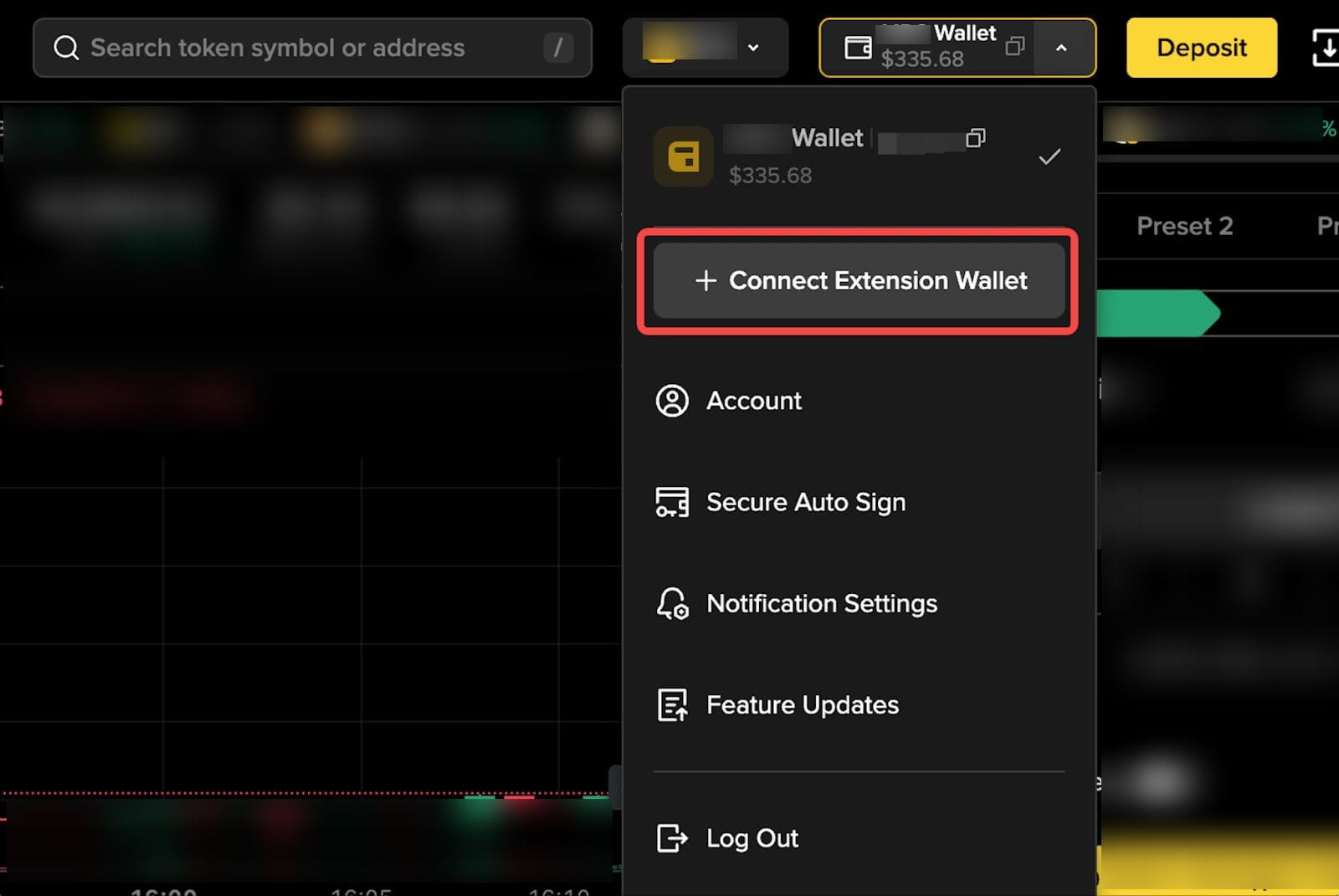
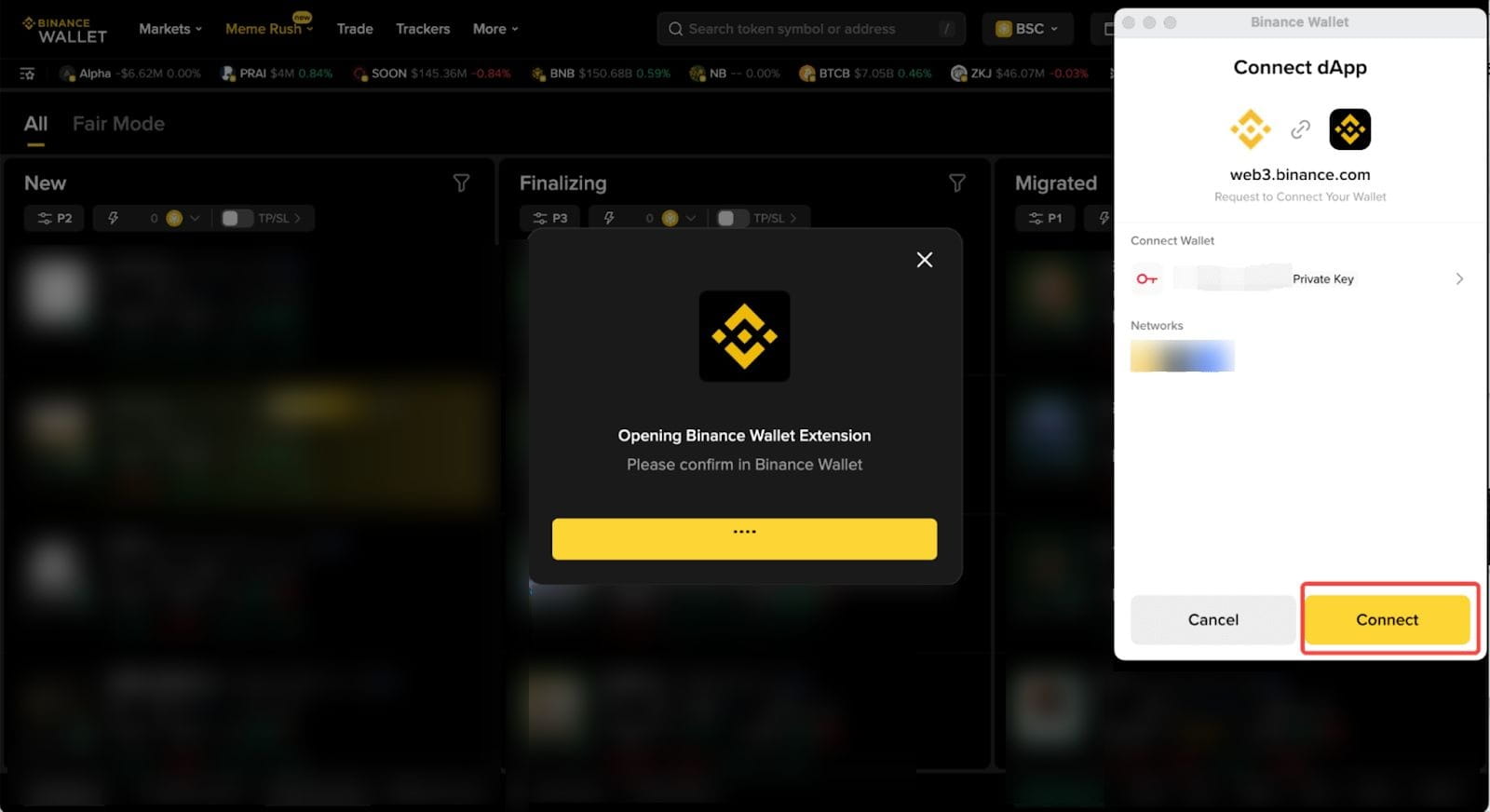
After logging in to your Binance account on Binance Wallet (Web), open the wallet dropdown menu in the header and click [Connect Wallet Extension]. This will trigger the Binance Wallet Extension connection pop-up.
Please note: Only seed phrase or private key wallets can be connected through the extension. Keyless wallets are not supported via extension.
To use a keyless wallet, simply log in to Binance Wallet (Web) using the corresponding Binance account.
Once connected, your current wallet on Binance Wallet (Web) will switch to the connected extension wallet, and you can start trading immediately.
3. Features not supported after connecting the extension
Limit orders and strategy orders (such as stop-loss and take-profit) are not supported.
Unmigrated tokens in “Fair Mode” cannot be purchased when using the Binance Wallet Extension, since they are only available through keyless wallets.
4. Commission and reward calculation
All trades made through the extension are recorded under the Binance account logged in at the time of the trade.
Commission rewards will be distributed to that Binance account, and rewards can only be claimed using a keyless wallet.
5. Switch or disconnect extension wallets
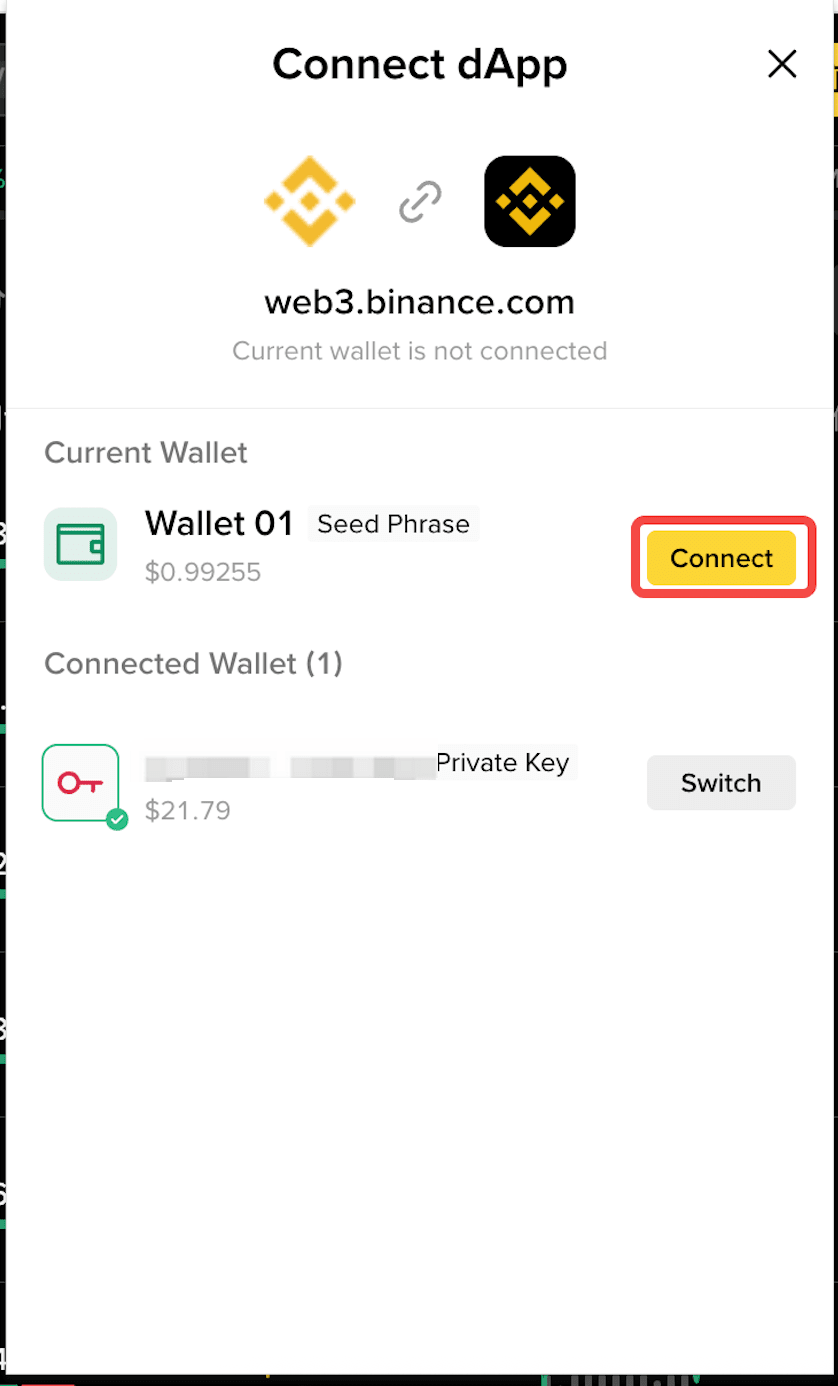
To switch wallets, open the wallet list in your extension and select another wallet. If the selected wallet type and network are supported, a confirmation pop-up will appear, click [Connect] to switch.
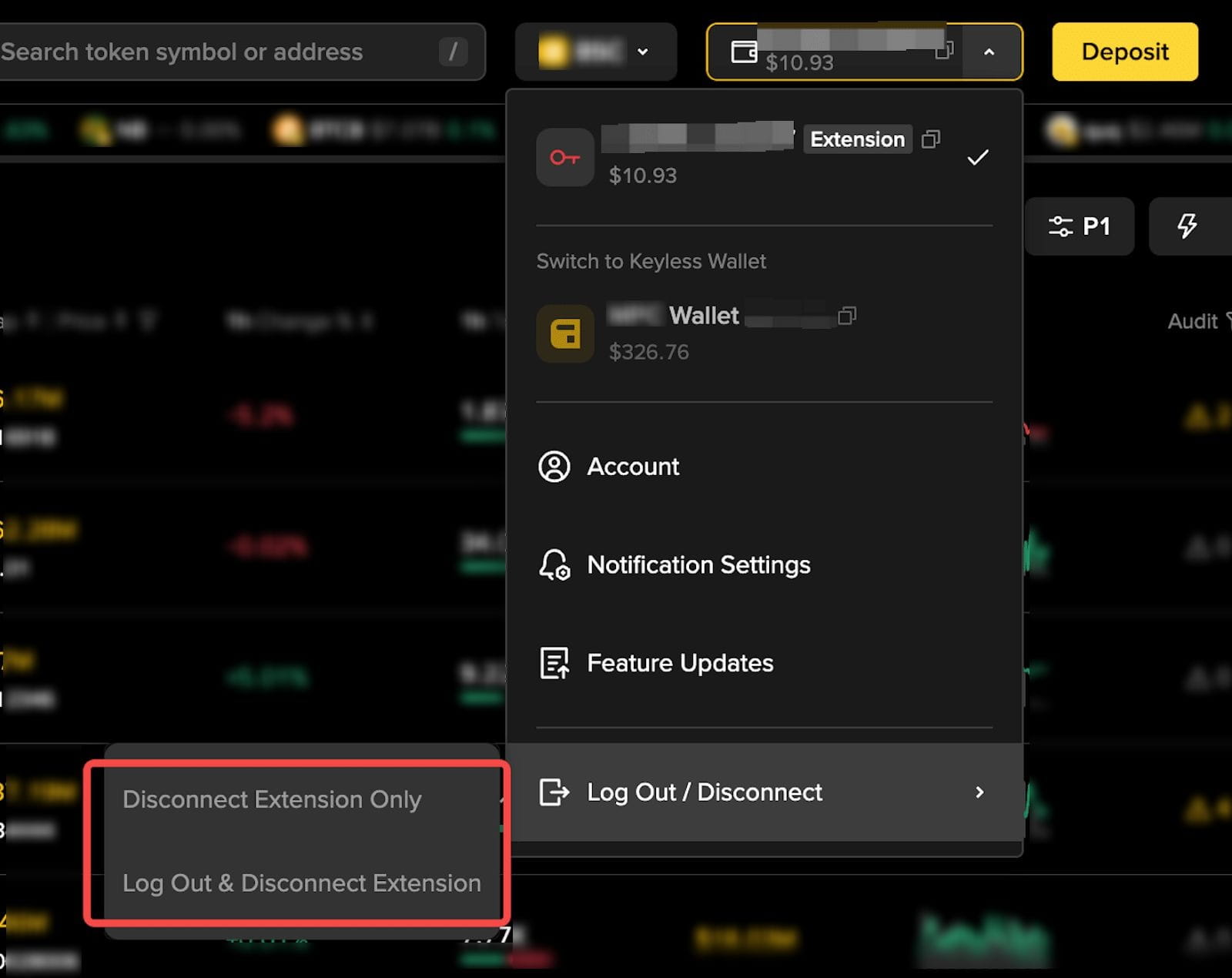
To disconnect, open the wallet dropdown on Binance Wallet (Web) and choose either:
[Disconnect Extension Only]
or
[Log Out & Disconnect Extension]
Aviso legal de la billetera de Binance: La billetera de Binance es una billetera de criptomonedas de autocustodia que también funciona como puerta de entrada digital a aplicaciones de terceros basadas en blockchain. Los servicios de la billetera de Binance son proporcionados por Binance Barbados Limited. Los servicios de la billetera de Binance no están bajo la supervisión de la Autoridad Reguladora de Servicios Financieros ni de ninguna otra autoridad reguladora. Para más información, consulte los Términos de uso y la Advertencia de riesgos de la billetera de Binance.
Enlace a los Términos de uso de la billetera de Binance: